Sing · 15s sample
Piano Serenade
Sample input: One golden retriever photo
AvailableReady for your pet
Dance · Pet video template
Put your pet behind the DJ decks in a 15-second concert clip, with paw movements, three camera angles and a soundtrack that fades out at the end.
Actual generated sample · Standard 480p · 15s · Sound starts muted
First shared
Choose one pet in good light, with a clear face and body. Avoid group photos, heavy filters and blur.
Length
15 seconds
Full template
Format
9:16 · Vertical
Matches the template
Original sound included
Uses the template’s soundtrack, not your pet’s voice. The preview shown is 480p. Results and movement can vary between models.
This video: 13 credits · Failed generations return their credits.
Behind this little moment
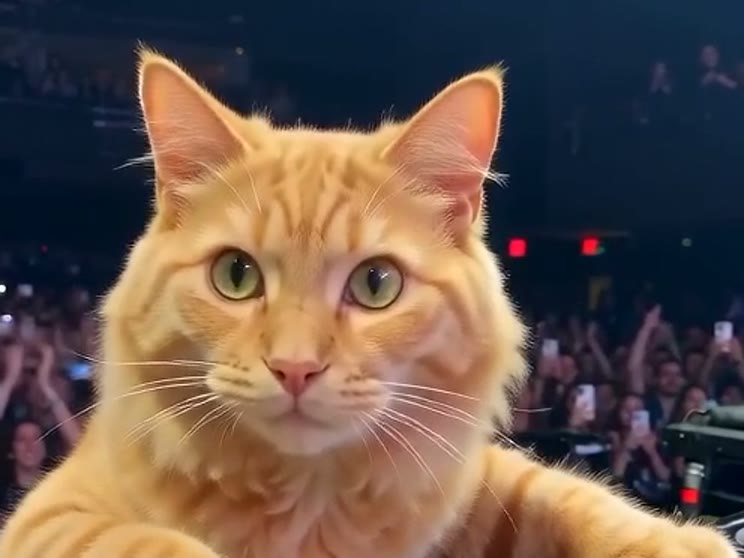
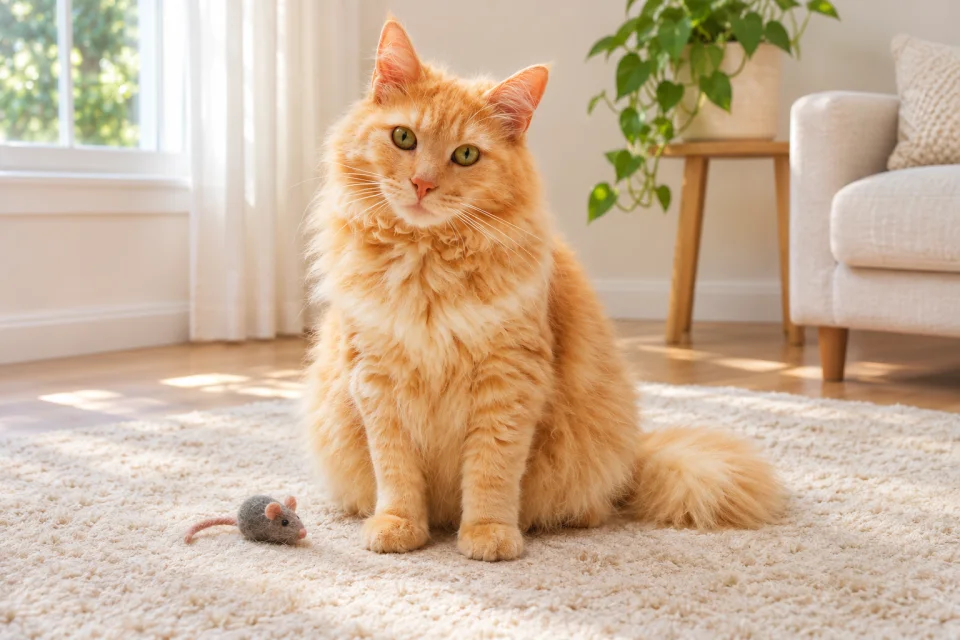
Photo examples: a clear face, natural light, and room for the body and paws. No background removal needed.
Leo takes over the decks: a close view of his face and moving paws, a look over his shoulders toward the crowd, then a wide shot under a white spotlight. One photo supplies the performer; the stage and audience come with the template.
This sample was tested with Leo the cat at Standard 480p. Other pets and settings can change the result. In the rear view, Leo’s tail looks shorter and rounder and his back fur curlier than in his photo.
AI results can vary in movement, fur and fine details. This example shows one prepared result, not a promise for every photo.
Their moment on screen
The fixed 15-second clip includes this template’s prepared music, with a short fade-out at the end. It is a music excerpt, not a complete song or a newly composed DJ mix. No new voice or meows are added.
Choose one pet photo, model and resolution. The decks, stage, audience, three camera angles, duration and music are fixed. Custom tracks and backgrounds are not available.
Make it theirs
Add one clear pet photo in the creator above. Show the face, ears, body and paws where possible; an ordinary home photo works as a starting point.
Choose a model and resolution for the fixed 15-second video. Sign in when prompted and review the credit cost before generating.
Find the result here or in My videos, then download the MP4. Check the face across the three shots and the paws around the controls before sharing.
Before you choose
About Pet DJ, its starting image and the result.
Ask us about your photoNo. Use one well-lit photo with a clear face, natural ears and as much of the body and paws as possible. The booth, concert stage and audience come with the template.
The template aims to keep one recognizable pet, but face shape, coat texture, paws and tail can vary. The sample keeps an orange cat through the cuts, while the rear-view tail is shorter and rounder than Leo’s real input photo.
This version uses one pet photo and a fixed 15-second music excerpt with a short fade-out. Custom music, two-pet performances and different lengths are not available for this template.
Your pet’s turn
Return to your photos and settings above.