How to Make Your Cat Dance with AI
By MyPetClip team · Last updated:
You do not need to film your cat dancing. MyPetClip uses one pet photo and a prepared dance template to create a short video. Start by watching the actual examples below: Single Ladies is a studio performance, while Car Alarm puts your pet beside a red car at night.
One familiar face, a new performance
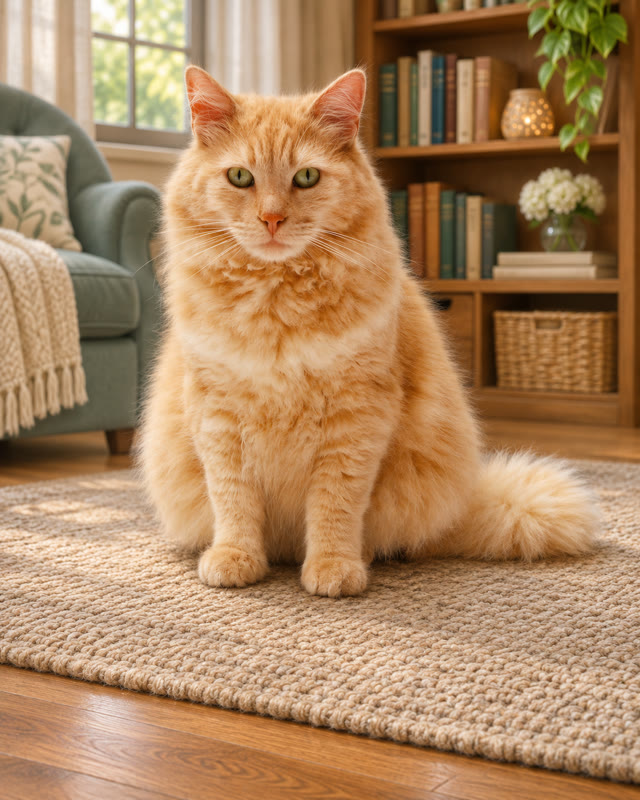
View the actual input photo
Template sound retained · starts muted
Template sound retained · starts muted
Actual generated results, first shared November 9, 2026. These examples do not guarantee identical motion or appearance for another photo.
1. Choose the scene you want your cat to join
Open a template and watch its sample before adding a photo. Single Ladies is a 10-second lead performance with two human dancers behind the cat. Car Alarm is a 12-second street-side dance. Both use the template’s sound and a vertical 9:16 format.
The template supplies the performance, setting and sound. You do not upload a reference video or write a prompt. These templates do not offer a different song, custom background or adjustable duration.
2. Add one clear photo
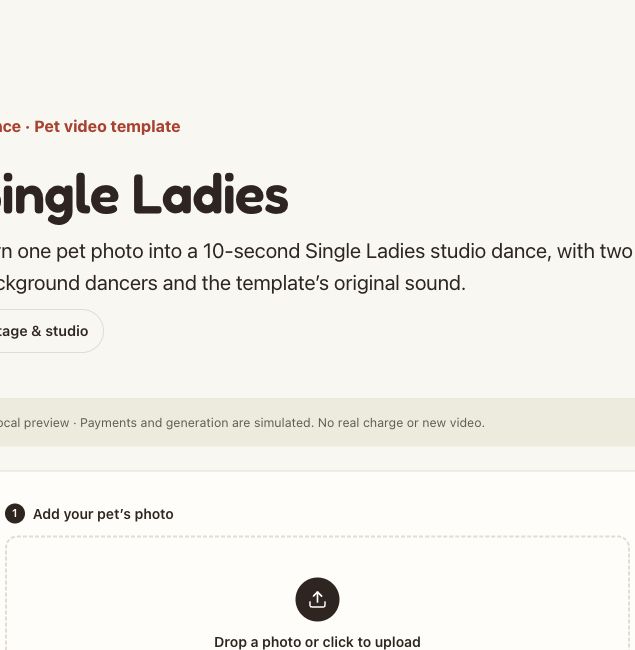
On the template page, choose your pet photo in the creation panel. Use JPG, PNG or WebP, up to 10 MB. Keep the face, ears, chest and paws visible. You can choose a file on your phone or use Scan to upload on desktop.
The examples on this page use the same long-haired cat photo. The cat is seated, so the model has to invent parts of the standing motion. Movement can be smaller than the reference, and paws, fur or background clothing can change. A clear photo helps you assess suitability; it does not guarantee an exact copy.
3. Review quality and credits before generating
Standard 720p is selected by default. It costs 9 credits for Single Ladies or 10 for Car Alarm. Open the settings to compare models and resolutions; the displayed credit cost changes with your selection.
Sign in when prompted, confirm you may use the photo, and check the cost before starting. If you need more credits, buy a one-time pack and return to the template. Check that your photo and settings are still the ones you want. There is no free generation or subscription required.
4. Wait for the result, then review and download
The task status appears in the creation panel. You can return to My videos after signing in with the same account; you do not have to keep the tab open. Completion time varies with the model, queue and provider, so wait for the existing task rather than submitting another while it is still processing.
When it succeeds, play the result and check the face, ears, paws, movement and sound before downloading the MP4. Finished videos are kept for 30 days after completion; download a copy you want to keep. Photos and results are private unless you choose to share a finished video.
A technical generation failure returns its credits automatically. A completed video with motion you do not like is a different situation: contact support for help and check the refund policy before paying for another attempt.
FAQ
Do I need to dress my cat or make it stand up?
No. This is a photo-based effect; your pet does not perform the dance. Use a comfortable, natural photo. The template creates the scene, and the AI may change body posture and details.
Can I make my cat sing or rap its name?
These two templates create dances with fixed template audio. Custom lyrics, voice cloning, singing and original rap are not available.
Are the examples shown here 720p?
No. These public examples were generated at Standard 480p. The default creation setting is 720p. A larger resolution does not guarantee better motion or a closer likeness.
Ready for their little moment?
Choose a pet template